Result. Small circles used to come out as rounded squares. The plotter now takes up the play in its gears every time an axis reverses. After three test drawings, X 0.9 mm, Y 0.8 mm makes the circles round. The values are saved on the board and apply to everything it draws.
The problem
The cat's eyes should have been circles. They came out as squares with rounded corners:
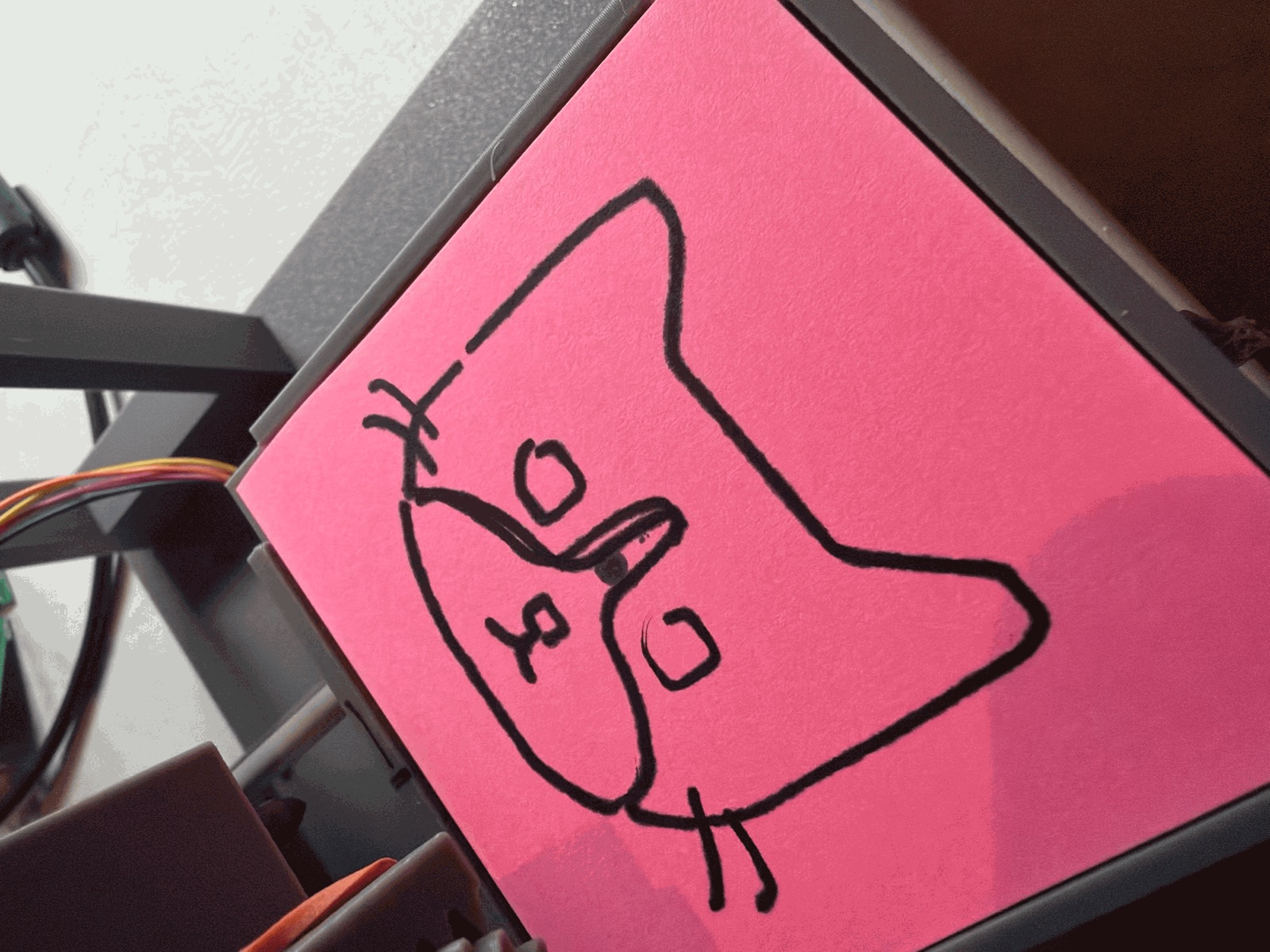
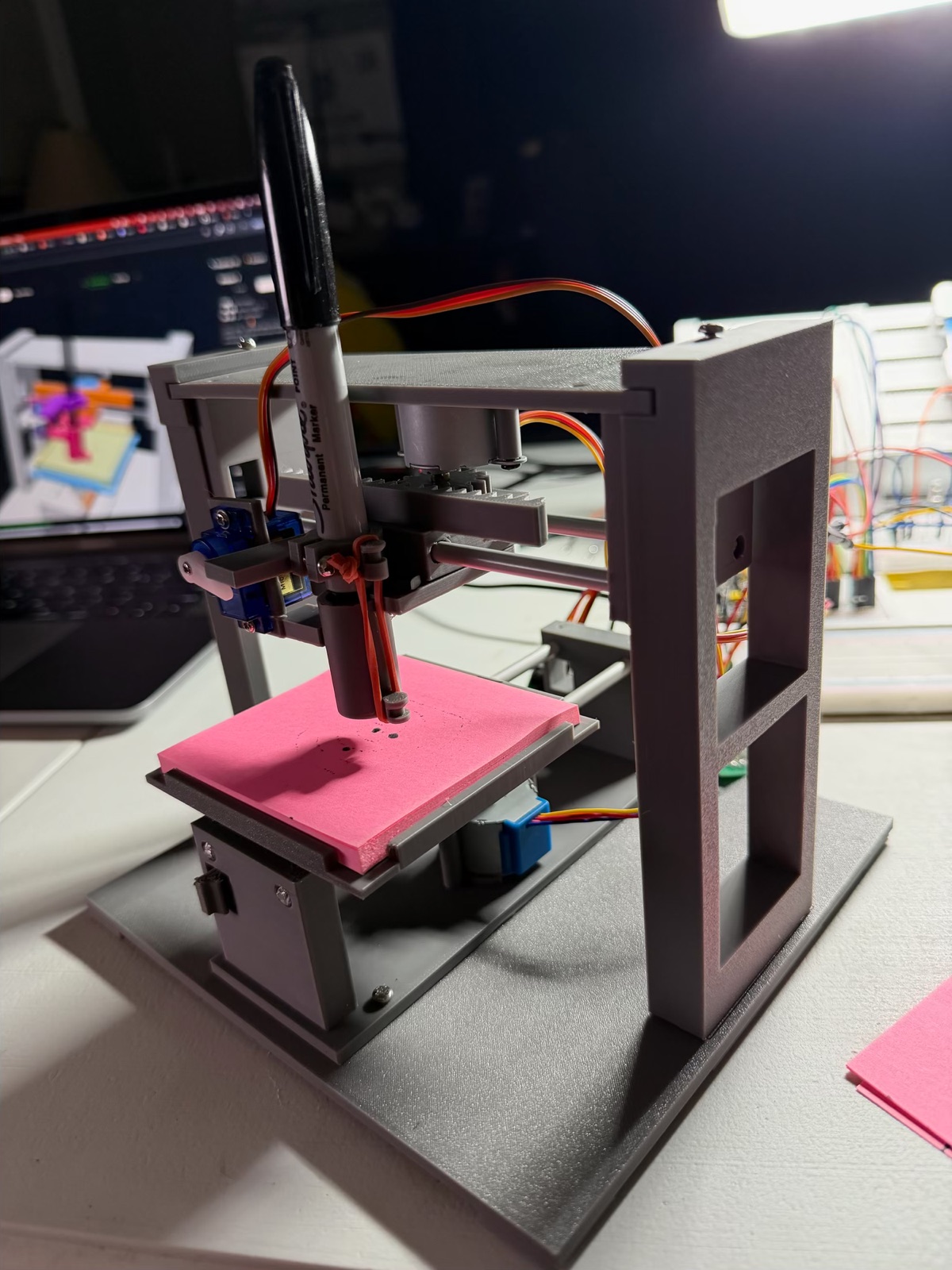
Each axis is a rack and pinion, and there's a small gap between their teeth. When an axis reverses, the pinion turns through that gap before the carriage moves. A circle reverses each axis twice per lap, so each reversal leaves a short flat side where only the other axis is moving. On a big curve the flat sides are tiny. On a 5 mm eye, half a millimetre of play is a big part of the shape.
The fix
When an axis is about to reverse, the firmware first makes a quick extra move on that axis alone, crossing the gap. Then the drawing carries on. I set the gap with @backlash <x> <y> (in mm, saved on the board), from the Plotter page or the panel's Calibrate section.
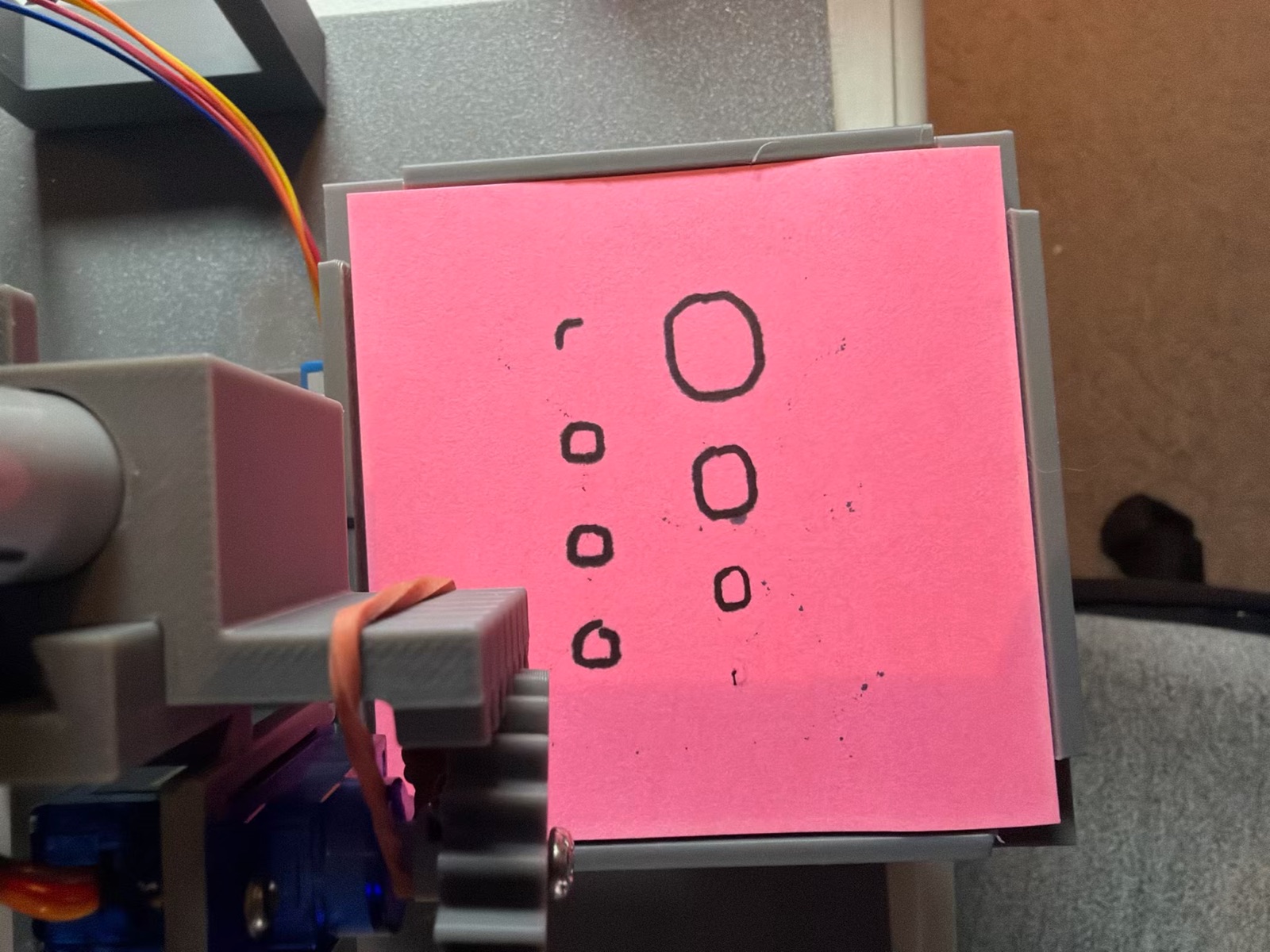
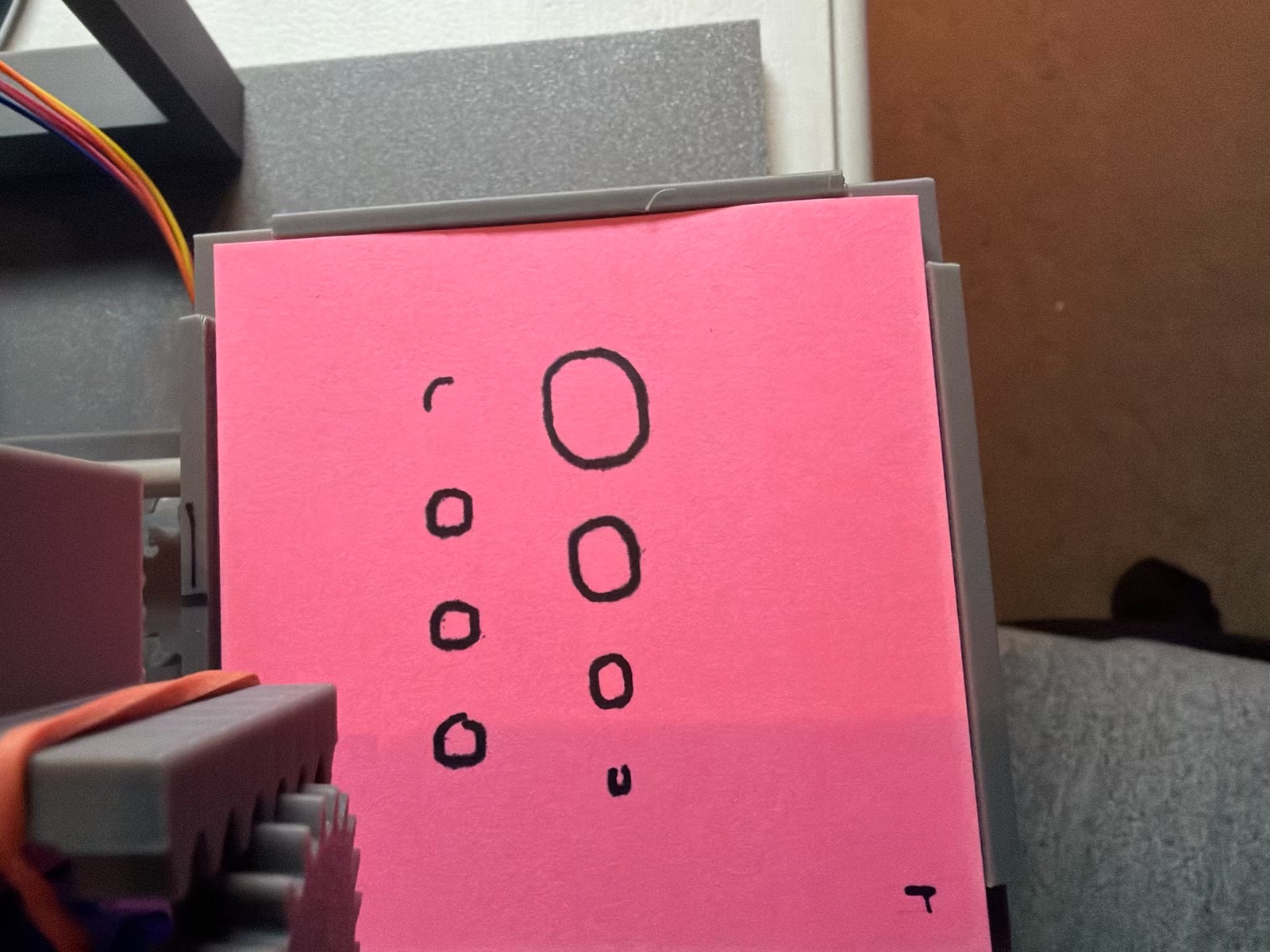
To tune it, the Backlash test draws circles of 3, 5, 8 and 12 mm, plus a row of 5 mm circles drawn the other way round:
- flat sides mean raise the value
- bulges at the top, bottom and sides mean lower it
| Backlash X / Y | What the circles looked like |
|---|---|
| 0 / 0 | Rounded squares (the cat's eyes) |
| 0.5 / 0.5 | Still squarish, taller than wide: flat on the X sides |
| 0.5 / 0.8 | Y round now, X still flat at the sides |
| 0.9 / 0.8 | Round |
Found along the way
- A dry first circle. A Sharpie left uncapped dries at the tip. Every drawing now starts with a small Hypnochip H in a free corner of the pad, to get the ink flowing.
- The pen lifted in the middle of the last circle. The end of a drawing adds five moves to the plotter's queue (pen up, out to the side, lift for the paper, servo off). The firmware only checked for room for three, so with the queue nearly full those moves overwrote the circle's last ones. The board's own log showed it: the lift came between two positions on the circle. Now anything that adds moves waits for room for seven.
- Reversed arrows after re-wiring: the page had been turned 270° instead of 90° (Turn page clicked twice), not a wiring fault.
- The Y motor buzzed in place. Two of its IN wires were crossed, and the ULN2003's LEDs lit out of order (they should go A, AB, B, BC, C …).
What I learned
- Backlash shows up where things reverse. Long straight lines look fine; small circles show it most, at their top, bottom and sides.
- Tune it by eye with a test drawing. Comparing circles was quicker and more accurate than measuring a gap with calipers.
- X and Y aren't the same. Y needs 0.8 and X 0.9; each axis has its own printed gears and load.
- Read the machine's log. "The pen lifted for no reason" turned out to be a queue bug, and the log showed exactly when.
Comments (0)